Your profile
How awesome is this: a tool that lets you find all your colleagues in PNO Group by sector, service and grant expertise. This will make your work easier, for instance by checking for solutions to similar issues already faced by other colleagues or by optimizing the delivery of assignments by being able to connect with colleagues who already carried out similar activities. Our request to you: please complete your profile as soon and as complete as possible. If you have acces to our system soon, you can find the PNO People tool here.


Your picture
We love seeing you! Really, we do! Since we are not all in one office together, it is simply nice to see how the other person looks like. But you decide:
Do you want your photo to be shown internally, for example in the systems you are logged into?
Do you use your photo for social media in combination with the mention of your employment with PNO?
Are you OK with PNO showing your photo externally, e.g. as an expert on our website?
If you want to connect your portrait with PNO, we ask that you upload your photo in the PNO People tool to your profile (see above). Would you like a photo as beautiful as the ones shown here by your colleagues? If so, send a sharp, recent color portrait photo taken against a plain background and at least 500x500 pixels in size to our central marketing department via this link, and we’ll make sure you get it back with a beautiful background.
Social media
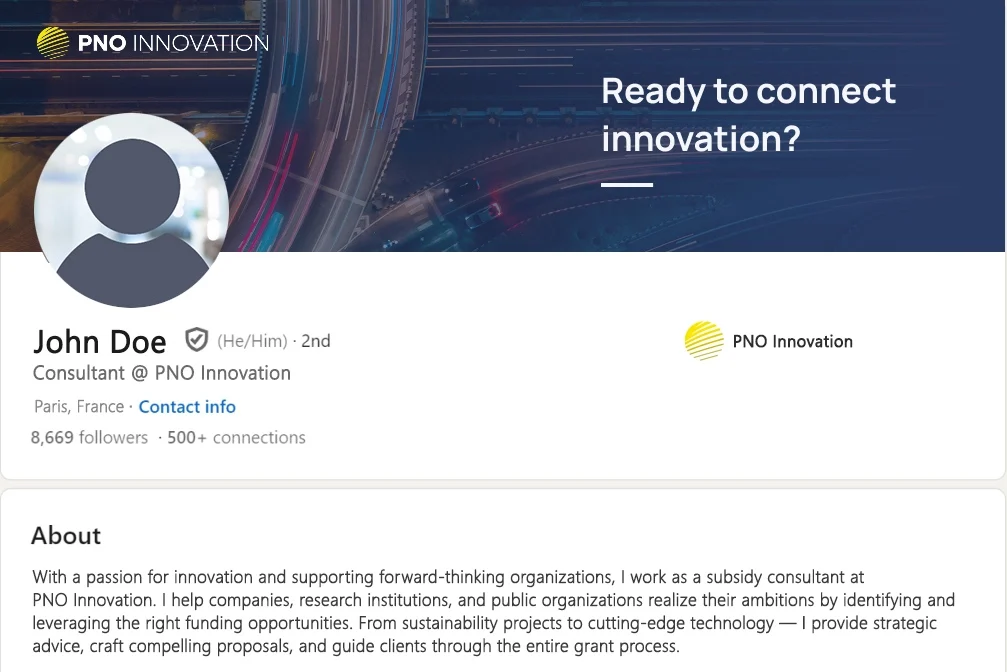
You can use different headers on LinkedIn that are placed on your home screen behind your profile picture. You can find these backgrounds in the Marketing hub. If you use them, note our comments above about the quality of your portrait photo.
Email signature
Your team will provide you with an appropriate email signature. It is expressly intended that you update only your contact information in this, and nothing else. This method of uniform communication greatly increases the power of our common branding.